How Business Parks Can Create a Digital Visitor Guide
Introduction
Business parks bring many companies together in one location.
They may contain office buildings, meeting spaces, restaurants, parking areas, shared facilities, and service providers.
Employees may know the layout well. First-time visitors may not.
A visitor might arrive for a client meeting. Another person may need to visit a particular company. A delivery driver may need to find the correct loading area.
Without clear information, visitors may enter the wrong building or contact the wrong reception desk.
A digital visitor guide can help solve this problem.
It provides one place for visitors to find directions, building information, parking instructions, and important contacts.
This article explains how business park managers can plan and create a useful digital guide.
1. Understand the Business Park Layout
Start by understanding the entire property.
Some business parks have only a few buildings. Others cover large areas with several roads and access points.
Before creating the guide, collect accurate site information.
Information to collect
- Total number of buildings.
- Building names and numbers.
- Main entrances and exits.
- Internal roads and walking paths.
- Visitor parking areas.
- Security checkpoints.
- Reception locations.
- Shared facilities.
- Emergency access points.
Prepare a simple site plan.
Mark important locations clearly. Use the same building names that appear on physical signs.
This helps visitors match online instructions with the actual location.
2. Create a Clear Business Park Introduction
Begin the guide with a short introduction.
Explain what the business park offers and how visitors can use the information.
For example:
Welcome to Our Business Park
Welcome to our business community. This guide helps visitors locate offices, companies, parking areas, and shared facilities.
Please check your meeting details before arriving. Follow the site signs and visitor instructions during your visit.
You can also include:
- Business park name.
- General address.
- Property management contact.
- Main reception details.
- Official website.
- General visitor information.
Keep the introduction short and useful.
3. Add Clear Arrival Directions
Visitors should know how to reach the correct entrance.
A business park may have several gates. Some entrances may serve employees, visitors, deliveries, or service vehicles.
Do not provide only the general property address.
Explain which entrance visitors should use.
Include these details
- Complete street address.
- Main visitor entrance.
- Nearby landmarks.
- Public transport options.
- Vehicle entry instructions.
- Visitor drop-off location.
- Pedestrian entrance.
- Directions to the main reception.
You can also add a map link.
Example arrival instructions:
“Use the main visitor entrance on the eastern side of the business park. Report to the security desk after entering. Ask for directions to Building B.”
Only publish directions that match the actual site layout.
If an entrance has restricted access, explain this before visitors arrive.
4. Build a Digital Building Directory
A business park directory is one of the most useful parts of a visitor guide.
Visitors need to know which companies operate in the property and where they are located.
Create a separate entry for each building.
Information for each building
- Building name or number.
- Street or internal location.
- Floor details.
- Tenant company names.
- Main reception location.
- Visitor access instructions.
- Relevant facility information.
For example:
Building A
Contains offices for several professional service companies.
Building B
Contains technology and software companies.
Building C
Contains meeting facilities and shared office spaces.
These are sample descriptions. Use the actual tenant information for your property.
Review the directory whenever tenants move or change their office locations.
5. Organize Tenant and Company Information
Visitors often know the company name but not its building number.
A searchable or clearly organized tenant list can make this easier.
For each participating tenant, consider including:
- Company name.
- Building name.
- Floor number.
- Reception location.
- Official website.
- Approved business contact.
- Visitor appointment instructions.
For example:
ABC Technologies
Building: B
Floor: Third Floor
Visitor instructions: Contact the company representative before arrival.
Only publish information approved by the tenant.
Do not share private employee contact details without permission.
6. Explain Visitor Parking and Vehicle Access
Parking can become confusing when several companies share one property.
Visitors may enter employee parking by mistake. They may also need to know whether they should register their vehicle.
Create a dedicated parking section.
Include relevant parking information
- Visitor parking location.
- Parking entrance.
- Available parking categories.
- Registration requirements.
- Payment details, if applicable.
- Accessible parking locations.
- Motorcycle parking.
- Vehicle height or access restrictions.
- Parking contact details.
Clearly explain any restrictions.
For example:
“Visitor parking is available near Building A. Please follow the parking signs and confirm your appointment with the receiving company.”
Do not promise available parking spaces unless the property can verify them.
7. Explain Security and Visitor Entry Procedures
Business parks may use security checkpoints to manage access.
Visitors should understand the process before arriving.
Create a section called Visitor Entry and Security.
Include:
- Required identification.
- Appointment confirmation process.
- Visitor registration steps.
- Badge collection instructions.
- Escort requirements.
- Restricted areas.
- Exit or badge return procedure.
Explain the process in simple steps.
Example visitor entry process:
- Arrive at the designated visitor entrance.
- Report to the security desk.
- Provide the required appointment details.
- Complete the approved registration process.
- Follow the instructions provided by security.
- Proceed to the correct building.
Actual entry procedures depend on the property’s security policy.
Do not publish sensitive security arrangements or restricted access details.
8. Show Shared Facilities and Services
Business parks often provide shared facilities for tenants and visitors.
Visitors may need to locate these services during their visit.
Create a section for common facilities.
Useful facilities to include
Reception Areas: Explain where visitors can ask general questions.
Meeting Rooms: Share booking or access information, where available.
Cafeteria: Provide its location and relevant visitor information.
Restrooms: Identify public facilities.
Drinking Water: Mention available water points.
ATM or Banking Services: Include location details if available.
First Aid: Explain how visitors can request assistance.
Rest Areas: Identify suitable places to sit.
Loading Areas: Explain approved access instructions for deliveries.
Only include facilities that actually exist.
Also explain whether visitors can use them or whether they are restricted to tenants.
9. Make Accessibility Information Easy to Find
Business parks should provide clear information about available accessibility features.
Visitors may need to understand the route from the entrance to a building.
A general address does not explain whether the route is suitable for their needs.
Create a dedicated accessibility section.
Information to consider
- Accessible parking.
- Step-free entrances.
- Ramps and lifts.
- Accessible toilets.
- Pedestrian routes.
- Reception access.
- Accessible meeting facilities.
- Assistance contact details.
- Known route restrictions.
Describe actual conditions accurately.
Do not label a building fully accessible without checking its facilities and routes.
The Australian Department of Finance provides guidance on creating building accessibility guides. It explains how visitors can understand building access, movement within premises, and available accessibility features.
Source: Australian Government – How to Create a Building Accessibility Guide.
10. Add Visitor Rules and Property Guidelines
Business parks need clear rules for shared spaces.
Visitors should understand what is expected during their visit.
Create a short section called Visitor Guidelines.
Include relevant information about:
- Speed limits.
- Parking rules.
- Smoking restrictions.
- Waste disposal.
- Photography restrictions.
- Restricted areas.
- Vehicle movement.
- Pet policies.
- Shared facility usage.
Use polite and direct language.
For example:
“Please follow the displayed speed limits and use designated pedestrian paths.”
Check the property management rules before publishing instructions.
11. Provide Emergency and Safety Information
Visitors should know how to request help.
A business park may contain multiple buildings and shared outdoor spaces. Clear emergency information is important.
Include approved information such as:
- Emergency contact number.
- Security desk location.
- First-aid contact.
- Emergency assembly point information.
- Fire exit instructions.
- Property management contact.
- Procedure for reporting hazards.
Keep emergency instructions consistent with official site procedures.
Do not replace physical emergency signs with a digital guide.
Visitors must still be able to follow on-site safety instructions if their phones are unavailable.
12. Help Visitors Find Meeting and Event Locations
Business parks may host meetings, training sessions, interviews, and corporate events.
Visitors need to know where to go after entering the property.
Create a meeting and event information section.
Include:
- Meeting building.
- Floor number.
- Room or reception name.
- Visitor entrance.
- Check-in instructions.
- Host contact process.
- Event-specific directions.
For large events, provide a separate page or section with the relevant information.
For example:
Meeting at Building C
Enter through the visitor reception. Follow the signs to the second floor. Contact your host if you need assistance.
Make sure the information matches the booking or invitation.
13. Use QR Codes to Share the Visitor Guide
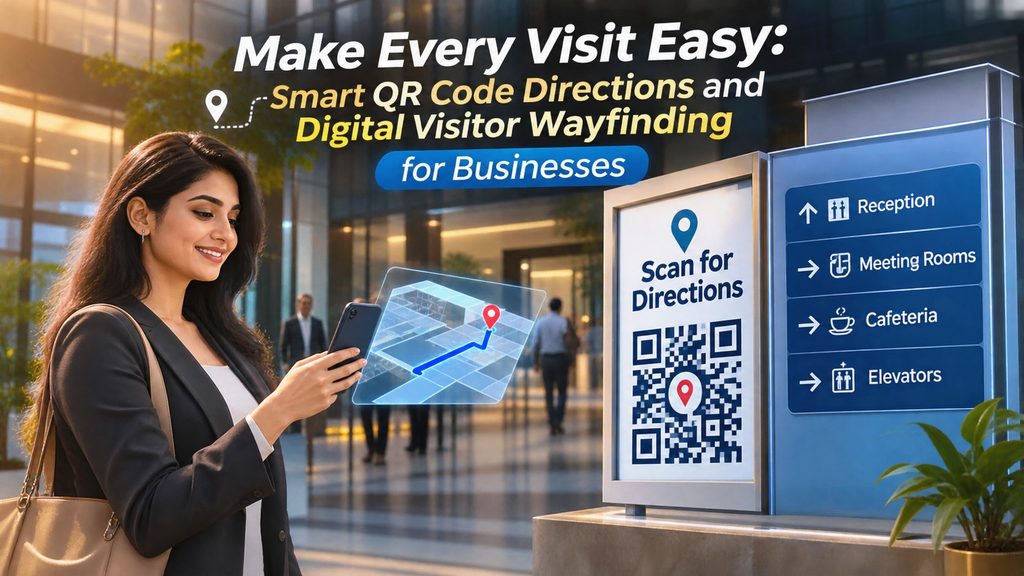
QR codes can provide quick access to a digital visitor guide.
Visitors can scan a code using a compatible smartphone camera. Their browser opens the linked page.
Business park managers can place QR codes at useful locations.
Suggested QR code locations
- Main entrance.
- Security desk.
- Visitor parking entrance.
- Reception areas.
- Building directories.
- Meeting facilities.
- Shared facility information boards.
- Tenant information points.
Add a clear instruction beside each code.
For example:
“Scan to view the business park visitor guide.”
Test every QR code before displaying it.
Provide a normal website link as another way to access the guide.
Remember that a QR code only opens its linked destination. It does not provide navigation by itself.
14. Make the Guide Easy to Use on Mobile
Visitors may open the guide while walking around the property.
The page should be simple to read on a mobile phone.
Follow these design practices:
- Use clear headings.
- Keep paragraphs short.
- Organize information by building.
- Use familiar building names.
- Add useful map links.
- Keep contact details easy to find.
- Use readable text sizes.
- Avoid crowded layouts.
- Test the page on different devices.
Put important arrival and security instructions near the beginning.
Do not make visitors search through many sections to find the correct building.
15. Keep Tenant and Property Information Updated
Business park information can change regularly.
A company may move to another building. A parking area may close for repairs. Property management may change visitor procedures.
Outdated information can send visitors to the wrong place.
Create a clear update process.
- Assign an owner for the main visitor guide.
- Ask tenants to report company and office changes.
- Review building directory details.
- Check parking and access instructions.
- Confirm shared facility information.
- Test important links.
- Update the digital page.
- Review the guide on a regular schedule.
You can also show a last-reviewed date.
This gives visitors a useful indication of when the information was checked.
16. Support Different Types of Visitors
Not everyone visits a business park for the same reason.
A client may need meeting directions. A delivery driver may need loading instructions. A job candidate may need interview details.
Organize information around common visitor types.
Business Visitors
Provide company locations, meeting directions, reception details, and parking instructions.
Job Candidates
Explain the interview building, reporting time, entry process, and contact procedure.
Delivery Drivers
Share approved delivery entrances, loading instructions, and receiving department contacts.
Event Visitors
Provide event locations, check-in details, parking information, and facility instructions.
Service Providers
Explain approved entry procedures and the relevant property management contact.
Keep restricted instructions private. Share them only through approved channels.
17. How Proezi Can Help Business Parks Share Visitor Information
Business park managers need practical ways to organize information for visitors.
Proezi is a web-based platform for creating digital information pages and sharing them through QR codes.
Property managers can explore whether this approach fits their visitor communication needs.
For example, a business park may prepare a digital page with:
- Property introduction.
- Arrival directions.
- Building directory.
- Tenant information.
- Visitor parking instructions.
- Shared facility details.
- Approved contact information.
The page can be shared through a web link or QR code.
Visitors can open a browser-based page without installing a separate app.
Before choosing a platform, review its current features, pricing, access controls, and terms. Make sure the setup meets the property’s information and privacy requirements.
Explore Proezi to learn more about digital information pages and QR code sharing.
18. Common Mistakes to Avoid
A visitor guide should make a business park easier to understand.
Avoid these common mistakes.
1. Providing Only the General Address
Visitors may still struggle to find the correct building. Include internal directions.
2. Using Different Building Names
Keep online names consistent with physical signs and tenant directories.
3. Ignoring Parking Instructions
Visitors need to know where they can park and which entrance to use.
4. Publishing Outdated Tenant Details
Review company names, floors, and office locations regularly.
5. Hiding Security Instructions
Explain the approved visitor registration process before arrival.
6. Ignoring Accessibility
Include accurate information about accessible routes and facilities.
7. Adding Too Much Information
Organize content into short sections. Give each visitor a clear starting point.
8. Relying Only on QR Codes
Offer a web link and maintain physical signs.
9. Sharing Restricted Information Publicly
Keep sensitive security and tenant information within approved systems.
19. Digital Visitor Guide Checklist
Use this checklist before publishing your guide.
- Business park name and address are correct.
- Main visitor entrance is identified.
- Arrival directions are clear.
- Building names match physical signs.
- Tenant directory is accurate.
- Parking instructions are available.
- Security procedures are explained.
- Reception details are included.
- Shared facilities are listed.
- Accessibility information is verified.
- Visitor rules are clear.
- Emergency contacts are approved.
- Meeting and event instructions are available.
- QR codes open the correct page.
- A normal web link is available.
- The guide works on mobile devices.
- Important links have been tested.
- A person is responsible for updates.
Frequently Asked Questions
1. What is a digital visitor guide for a business park?
It is an online page that provides useful information about a business park. It can include building locations, tenant details, parking, facilities, and visitor instructions.
2. Why do business parks need visitor information guides?
Business parks often contain several buildings and companies. A guide helps visitors find the correct destination and understand entry procedures.
3. What should a business park visitor guide include?
It should include arrival directions, a building directory, tenant information, parking instructions, visitor rules, accessibility details, and contact information.
4. Can a digital guide include multiple buildings?
Yes. It can organize information by building name, number, floor, and tenant company.
5. Can visitors use a QR code to open the guide?
Yes. A QR code can link directly to a browser-based visitor information page. Visitors can scan it with a compatible smartphone camera.
6. Should business parks include parking information?
Yes. Visitors should know the approved parking areas, entry points, and any registration requirements.
7. How should business parks handle tenant information?
Property managers should confirm details with tenants before publishing them. They should review the directory whenever office locations change.
8. Should accessibility information be included?
Yes. Explain available accessible entrances, parking, lifts, routes, and facilities. Make sure the information is accurate.
9. Can a digital guide replace physical signs?
No. Digital information should support physical signs, not replace essential signs or emergency instructions.
10. How can Proezi help business park managers?
Proezi provides a way to create digital information pages and share them through QR codes. Managers can review its current features to see whether they suit their requirements.
Final Thoughts
A business park can be difficult to navigate without clear information.
Visitors need to find the right entrance, building, company, and facility. They also need to understand parking and security procedures.
A well-organized digital visitor guide brings these details together.
Start with the most common visitor questions. Add accurate building information and clear directions. Review the guide whenever the property changes.
A useful guide should support visitors while keeping physical signs and personal assistance available.
If you want to explore digital information pages and QR code sharing, visit Proezi.
Leave a Reply